Best AI Model for Logos, Posters & Brand Kits (2026)
A great logo requires clean vector geometry and crisp spelling; a great product ad requires realistic studio light; a great poster needs strong hierarchy. Match each commercial task to the right engine in seconds.
Quick Verdict: Best Model by Commercial Design Task
GPT Image 2.6 Flare
Unbeatable for coffee shop logos, fitness flyers, event posters, and startup brand marks. Delivers sharp lettering, clean negative space, and scalable SVG vector output in 5–6 seconds.
Flux 2 Pro
Top choice when your brand kit needs realistic packaging mockups, studio product photography, or lifestyle hero banners with authentic shadows and optical depth.
Seedream 5.0
Ideal for stylized editorial posters, festival artwork, mascot branding, and bold artistic social campaigns where expressive color palettes shine.
Commercial Design Task-to-Model Matrix
Use this cheat sheet whenever you start a new logo, poster, or campaign asset.
| Capability | Top Recommended Model | Best Alternative | Why It Wins |
|---|---|---|---|
| Coffee Shop / Startup Logo | GPT Image 2.6 Flare | GPT Image 2 | Crisp curved typography, symmetrical emblems & direct SVG export |
| Fitness / Event Poster (9:16) | GPT Image 2.6 Flare | GPT Image 2.6 Sunburst | Zero spelling errors on multi-line dates, headlines & CTA badges |
| Product Packaging Photography | Flux 2 Pro | GPT Image 2.5 Sunburst | Physically accurate glass, matte paper grain & studio reflections |
| E-Commerce Transparent Cutouts | GPT Image 2.6 Flare | GPT Image 2.6 Economy | Clean native alpha edges ready for Shopify & Amazon banners |
| Stylized Editorial Posters | Seedream 5.0 | Grok Imagine | Rich color grading, modern illustration textures & expressive style |
| Rapid Social Campaign Variants | Nano Banana 2 | GPT Image 2.6 Economy | 4–6 second generation speed for high-volume A/B ad creative testing |
Why Picking the Right Model Matters More Than Prompt Tricks
Small business owners and marketers often blame their prompts when an AI tool produces blurry logos or garbled poster headlines. In reality, 80% of output quality comes from choosing a model trained for that specific visual discipline.
An artistic illustration model will always struggle with clean corporate kerning, while a rigid layout model will not match the natural lens physics of a dedicated photorealistic engine.
Because Lovart unifies all 12 leading image and video models inside one infinite canvas, you never have to compromise — pick the exact specialist engine for each asset in your brand kit.
Real Commercial Design Examples by Model
Boutique Coffee Shop Logo
GPT Image 2.6 Flare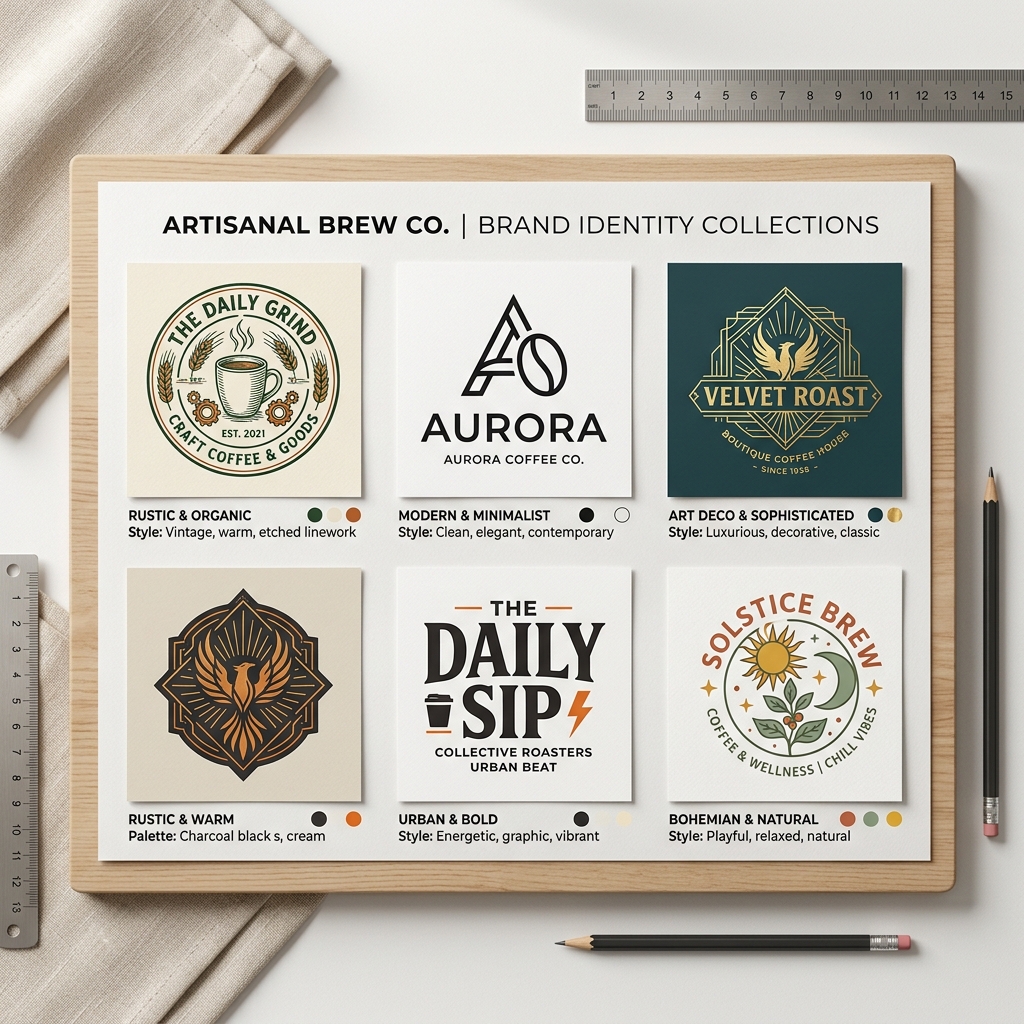
Prompt: “Minimalist artisan coffee shop logo for 'Roast & Co.', warm terracotta palette, clean vector emblem”
Clean geometric balance and legible brand lettering make it immediately usable across cups, menus, and signage.
High-Contrast Fitness Bootcamp Poster
GPT Image 2.6 Flare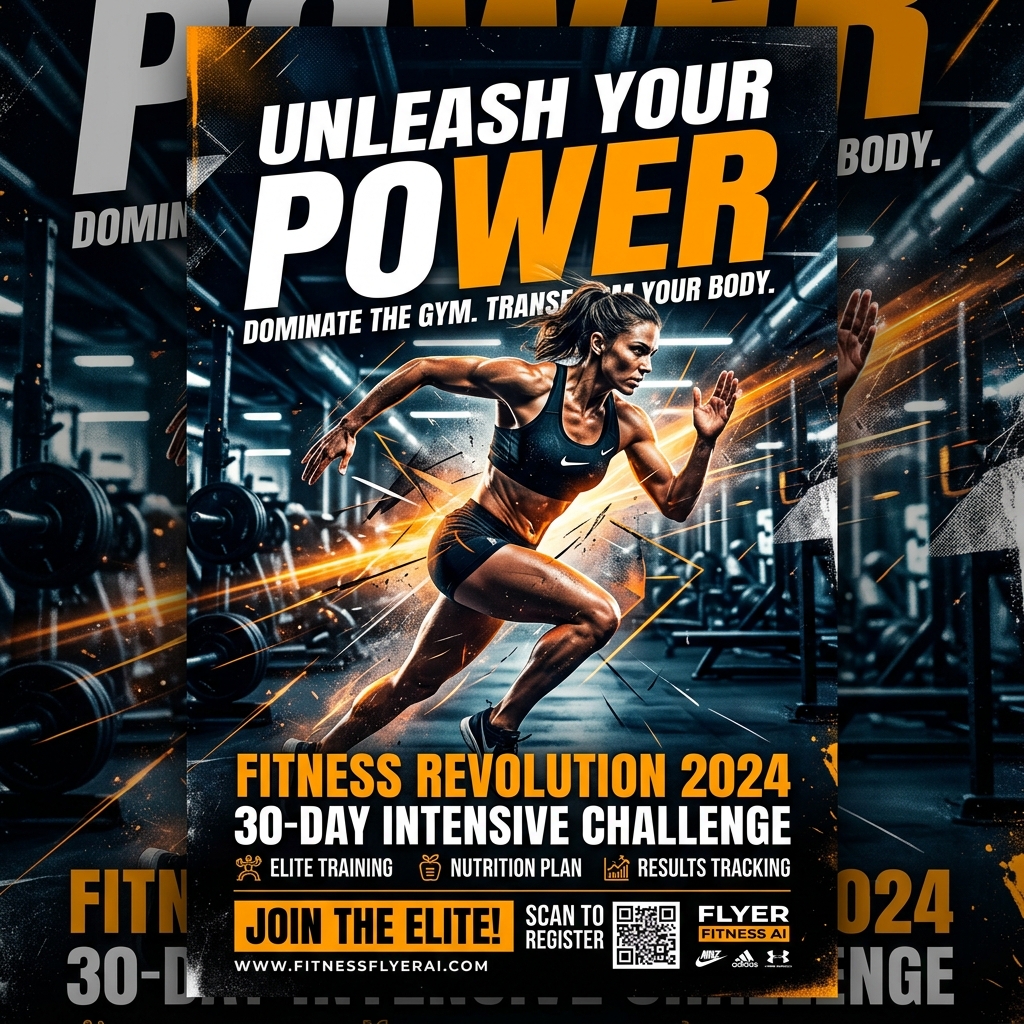
Prompt: “High-contrast vertical fitness poster with bold headline typography, energetic gym lighting, print-ready layout”
Renders multi-line promotional copy cleanly without distorted numbers or overlapping margins.
Modern Editorial Event Poster
Seedream 5.0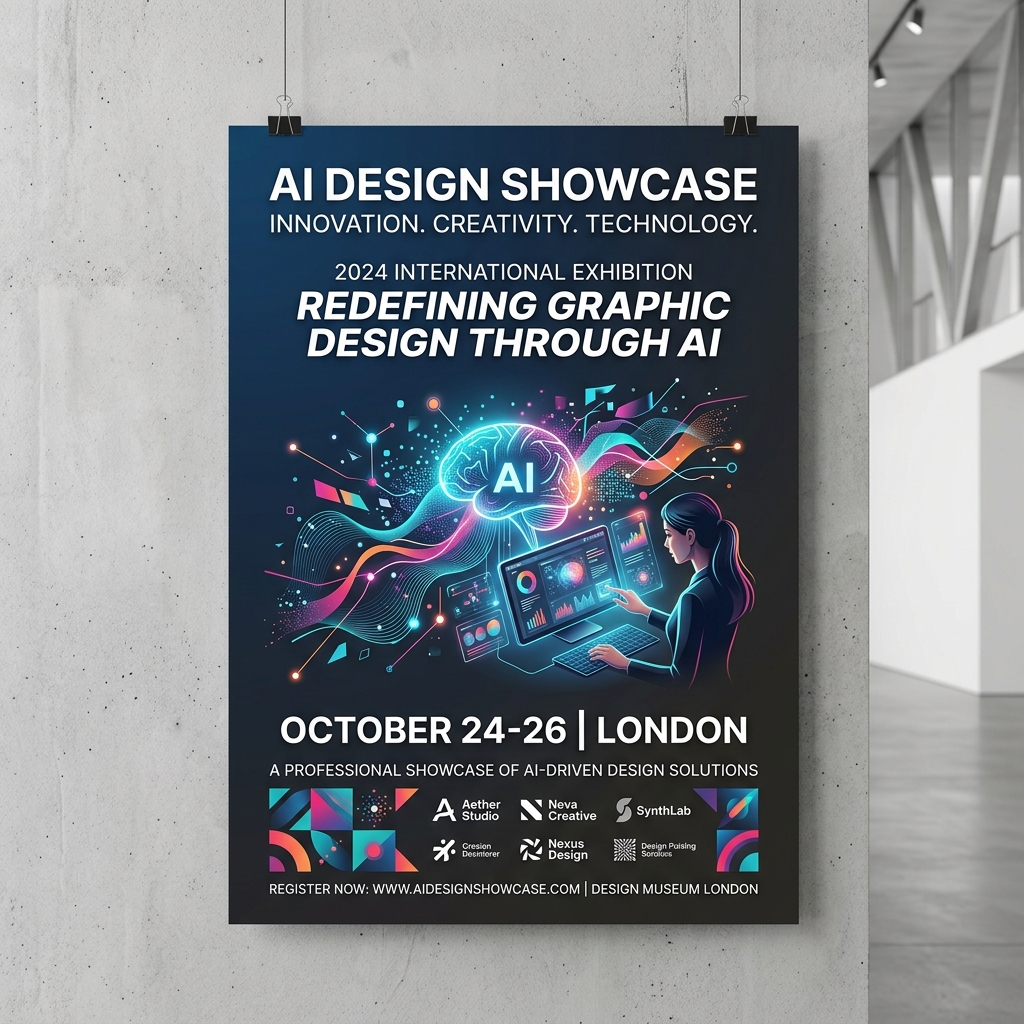
Prompt: “Modern Swiss-inspired editorial event poster with bold graphic shapes and refined color hierarchy”
Seedream 5.0 brings gallery-grade color composition and artistic polish for cultural events and music or design flyers.
Commercial Product Packaging Shoot
Flux 2 Pro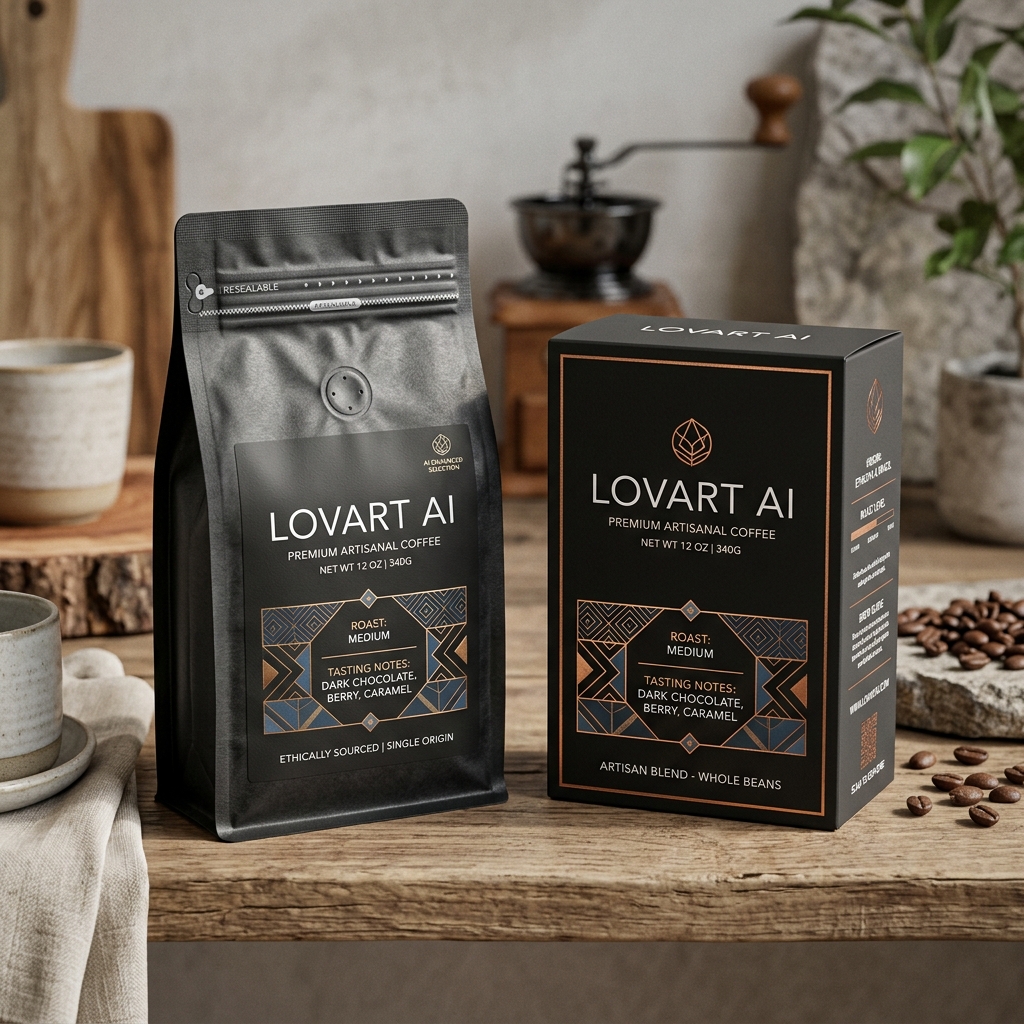
Prompt: “Minimalist luxury product packaging on travertine stone with soft sunlit architectural shadows”
Flux 2 Pro delivers agency-quality packaging photography without booking a studio or photographer.
How to Build a Complete Brand Kit in 15 Minutes Using Multiple Models
Start by generating 4 logo directions in GPT Image 2.6 Flare so your brand name and icon geometry are razor-sharp. Once you pick a winning mark, keep it on your Lovart infinite canvas as a visual reference.
Next, switch to Flux 2 Pro to shoot matching product packaging and lifestyle hero photos using the same color palette. Finish with GPT Image 2.6 Flare or Nano Banana 2 for social media flyers, Instagram stories, and promotional banners.
- Step 1 (Logo & Brand Mark): GPT Image 2.6 Flare for crisp spelling and SVG export.
- Step 2 (Hero Product Photography): Flux 2 Pro for authentic studio materials and shadows.
- Step 3 (Campaign Posters & Ads): GPT Image 2.6 Flare for text-heavy flyers, or Seedream 5.0 for illustrated art.
- Step 4 (Motion & Video): Veo 3.1 to turn your hero visual into a 4K product commercial.
How Creators Switch Models Inside Lovart
“I launched my neighborhood coffee shop brand — logo, menu header, and opening weekend flyers — in a single afternoon using GPT Image 2.6 Flare inside Lovart.”
“Having a clear cheat sheet for when to pick GPT Image 2.6 vs Flux 2 Pro saved our small marketing team hours every week.”
Frequently Asked Questions
What is the single best AI model for logo design in 2026?
GPT Image 2.6 Flare is the strongest all-round logo model because it handles exact spelling, curved badge typography, clean negative space, and direct SVG vector output.
Which AI model makes the cleanest posters with readable text?
GPT Image 2.6 Flare and GPT Image 2.6 Sunburst lead for posters with headlines, dates, and discount numbers. Use Flare for fast commercial flyers and Sunburst for complex multi-layered poster art.
Do I get commercial copyright for logos and posters created in Lovart?
Yes. All paid Lovart plans (Starter, Basic, and Pro) include a full commercial copyright license for logos, posters, brand kits, and videos.
Explore More Model Comparisons
Stop Paying for Separate AI Subscriptions
Generate logos with GPT Image 2.6, switch to Flux 2 Pro for studio photography, and compare every asset side by side inside Lovart — no design skills needed.