How I Created a Realistic Classroom Portrait with AI
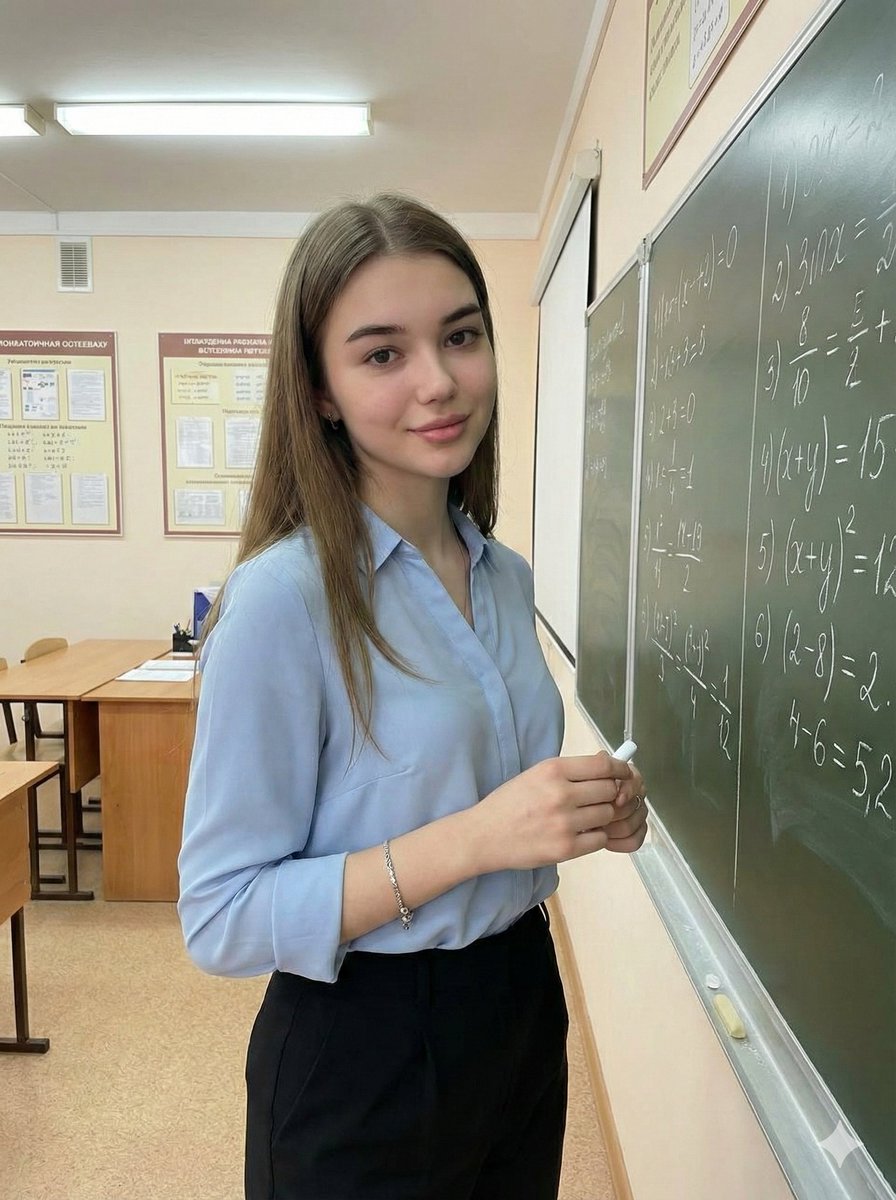
Tried Google Gemini Nano banana Pro for a classroom portrait—achieved a natural, confident academic vibe with sharp focus and soft lighting.
Lovart Prompt
Google Gemini Nano banana Pro.
{
"image_generation": {
"face": {
"preserve_original": true,
"reference_match": true,
"photo_style": {
"type": "indoor classroom portrait",
"camera_angle": "three-quarter body shot at eye-level",
"lighting": "soft indoor fluorescent lighting with natural classroom ambience",
"mood": "friendly, confident, academic",
"texture": "clean tones, soft shadows, natural skin texture",
"focus": "sharp focus on subject, slightly blurred classroom background"
},
"subject": {
"pose": "standing beside a chalkboard while holding chalk, looking toward the camera with a calm expression",
"expression": "soft smile, confident and composed",
"hair": {
"style": "long, loose waves",
"color": "light brown"
},
"clothing": {
"type": "professional, modest classroom outfit",
"details": "light blue collared blouse paired with a knee-length black skirt or tailored trousers"
},
"accessories": {
"jewelry": "minimal bracelet or small earrings"
}
},
"environment": {
"setting": "school classroom",
"background": "chalkboard with handwritten text, bulletin boards, desks, and educational posters",
"atmosphere": "clean, academic, organized"
},
"aesthetic": {
"style": "modern classroom portrait",
"features": [
"natural classroom lighting",
"realistic academic environment",
"professional and modest outfit",
"clean and bright color palette",
"engaging educational setting"
]
}
}
}
About This Lovart Prompt
This Lovart prompt is designed to help you create stunning AI-generated artwork. Simply copy the prompt above and paste it into Lovart Design Studio to generate your own unique creation. Customize the parameters to match your creative vision and explore endless possibilities with Lovart AI.