How I Created a Mini Football Stadium on a Smartphone Screen
Tried a hyper-realistic AI prompt to turn a phone screen into a football stadium—resulting in a cinematic, ultra-sharp image with incredible detail.
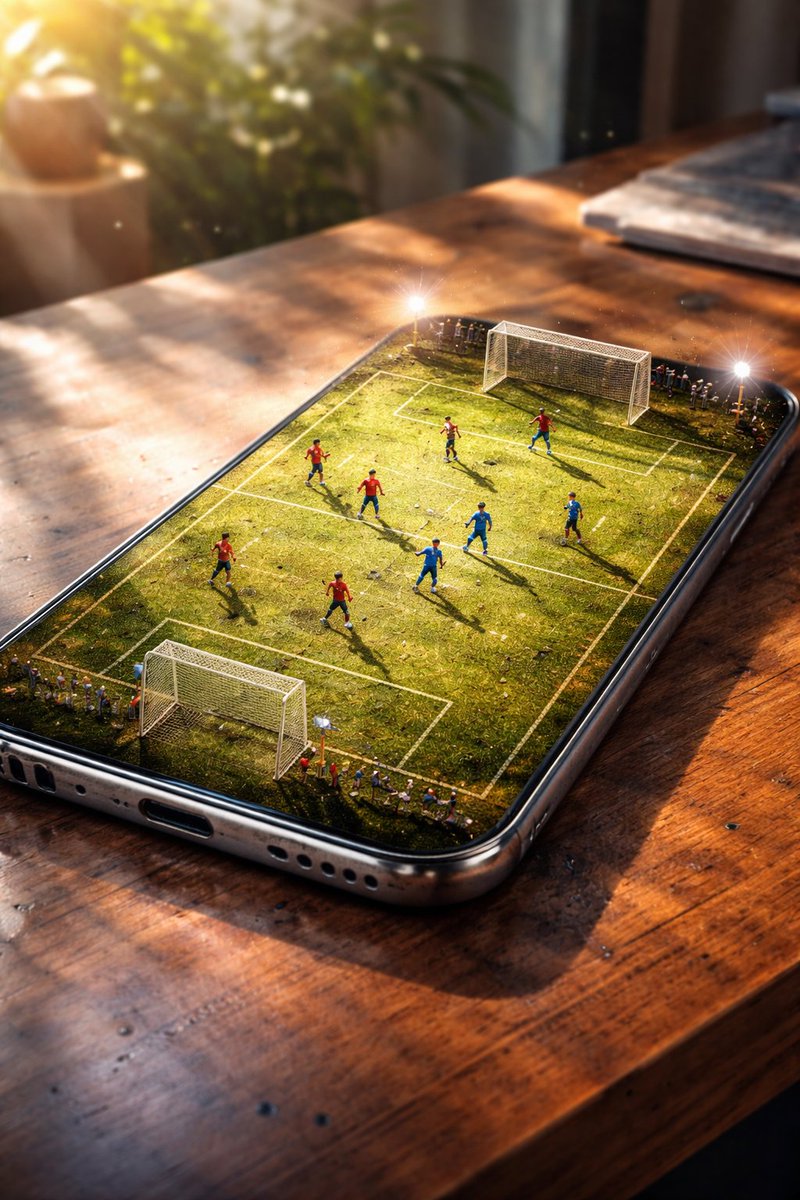
Lovart Prompt
Step 1: Go to ChatGPT Image 1.5 / Nano banana pro
Step 2: Copy and paste my prompt
Step 3: Enjoy the result
Prompt: {
"type": "image_generation",
"style": "hyper_realistic",
"quality": "8K DSLR",
"aspect_ratio": "4:5",
"camera": {
"angle": "slightly tilted cinematic perspective",
"lens": "50mm DSLR",
"depth_of_field": "shallow",
"focus": "smartphone and football action"
},
"scene": {
"setting": "smartphone placed on a wooden table",
"concept": "phone screen transformed into a miniature football stadium",
"environment": "indoor, soft daylight coming from the side",
"atmosphere": "cinematic, immersive, realistic"
},
"details": {
"screen": "weathered green football pitch with visible wear, dirt patches, and grass texture",
"players": "miniature football players actively playing a match with dynamic poses",
"lighting": "soft diffused daylight with subtle lens flares and realistic reflections",
"realism_effects": [
"fingerprints on screen",
"light scratches on phone body",
"natural smudges",
"micro dust particles"
]
},
"materials": {
"phone": "metallic frame with realistic reflections",
"table": "textured wooden surface with warm tones"
},
"mood": "high-end cinematic, dramatic, premium advertising look",
"rendering": {
"sharpness": "ultra sharp",
"texture_detail": "extreme",
"lighting_quality": "studio grade",
"photorealism": true
}
}
About This Lovart Prompt
This Lovart prompt is designed to help you create stunning AI-generated artwork. Simply copy the prompt above and paste it into Lovart Design Studio to generate your own unique creation. Customize the parameters to match your creative vision and explore endless possibilities with Lovart AI.