How I Created a Cinematic Self-Portrait Scene with AI
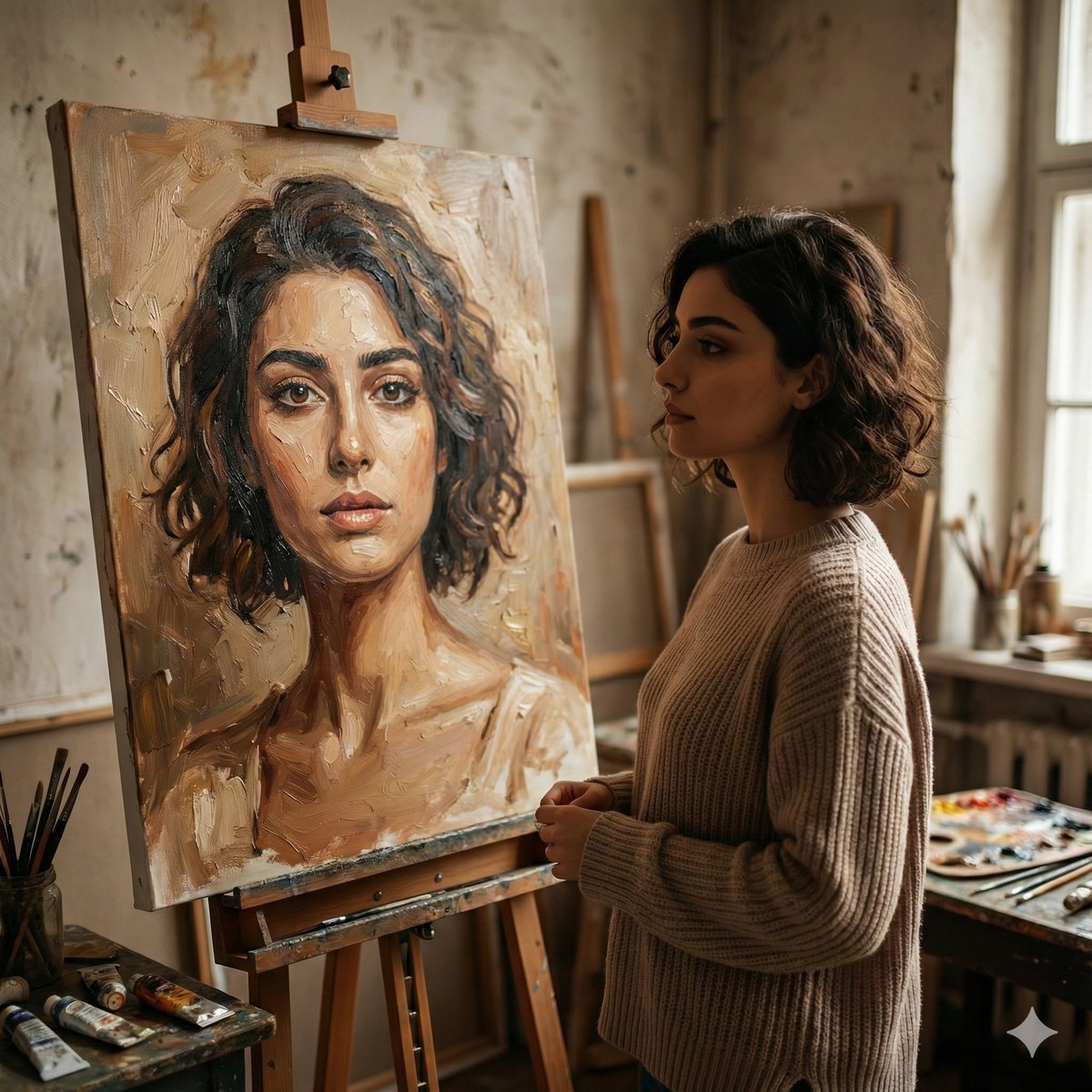
I used AI to transform my photo into a warm, painterly studio scene, adding emotional depth and cinematic lighting that truly surprised me.
Lovart Prompt
Use your photo to create this image on Google Gemini Nano Banana pro
Prompt 👇
A cinematic, realistic studio scene of a young woman standing beside an easel, quietly observing an oil portrait of herself. The painting features expressive brushstrokes and warm earthy tones, capturing her likeness with emotional depth. The woman wears a cozy neutral sweater, her short wavy hair softly framing her face. Natural window light enters from the side, creating gentle shadows and a calm, introspective mood. The artist’s workspace is visible with paintbrushes, palettes, and textured walls, giving an authentic fine-art atmosphere. Shallow depth of field, painterly realism, soft highlights, warm color grading, high detail, 4K quality, cinematic composition, aspect ratio 1:1.
About This Lovart Prompt
This Lovart prompt is designed to help you create stunning AI-generated artwork. Simply copy the prompt above and paste it into Lovart Design Studio to generate your own unique creation. Customize the parameters to match your creative vision and explore endless possibilities with Lovart AI.