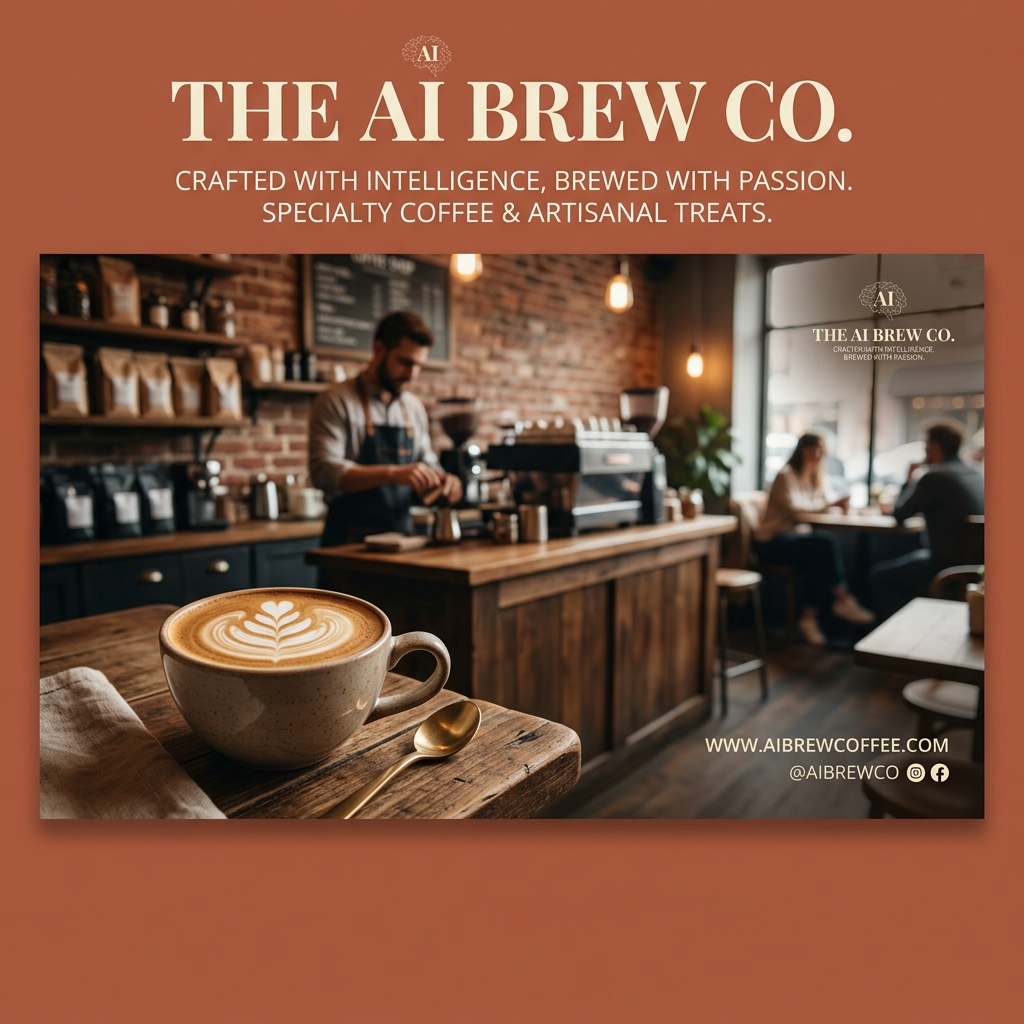
Step-by-Step Guide to Making Social Media Banners with AI
Creating eye-catching social media banners can feel overwhelming, especially if you’re running a small business or managing a personal brand. Imagine you just opened a cozy coffee shop and want to promote your daily specials on Instagram and Facebook. But you don’t have graphic design experience or the time to learn complex software. This is where AI-powered banner makers come in handy.
What is Social Media Banner Design with AI?
Social media banner design AI refers to using artificial intelligence-powered tools to create custom banners optimized for social media platforms. These AI tools generate designs, layouts, and graphics based on your input—like text prompts or style preferences—without needing manual design work.
Using AI for banner creation saves time and effort by automating the design process. Instead of starting from scratch or using complicated software, you simply provide a few details, and the AI generates ready-to-use banners.
Why AI Social Media Banner Design Matters
Many individuals and businesses struggle with banner creation for three main reasons:
- •No design skills: Not everyone is familiar with tools like Photoshop or Illustrator.
- •No time: Busy schedules leave little room to craft visuals.
- •Low budget: Hiring a designer can be expensive.
AI banner makers solve these problems by making design accessible, fast, and affordable. Whether you’re a gym promoting a new class or a startup launching a campaign, AI tools let you create professional banners without the hassle.
Step-by-Step Guide to Create Social Media Banners Using AI
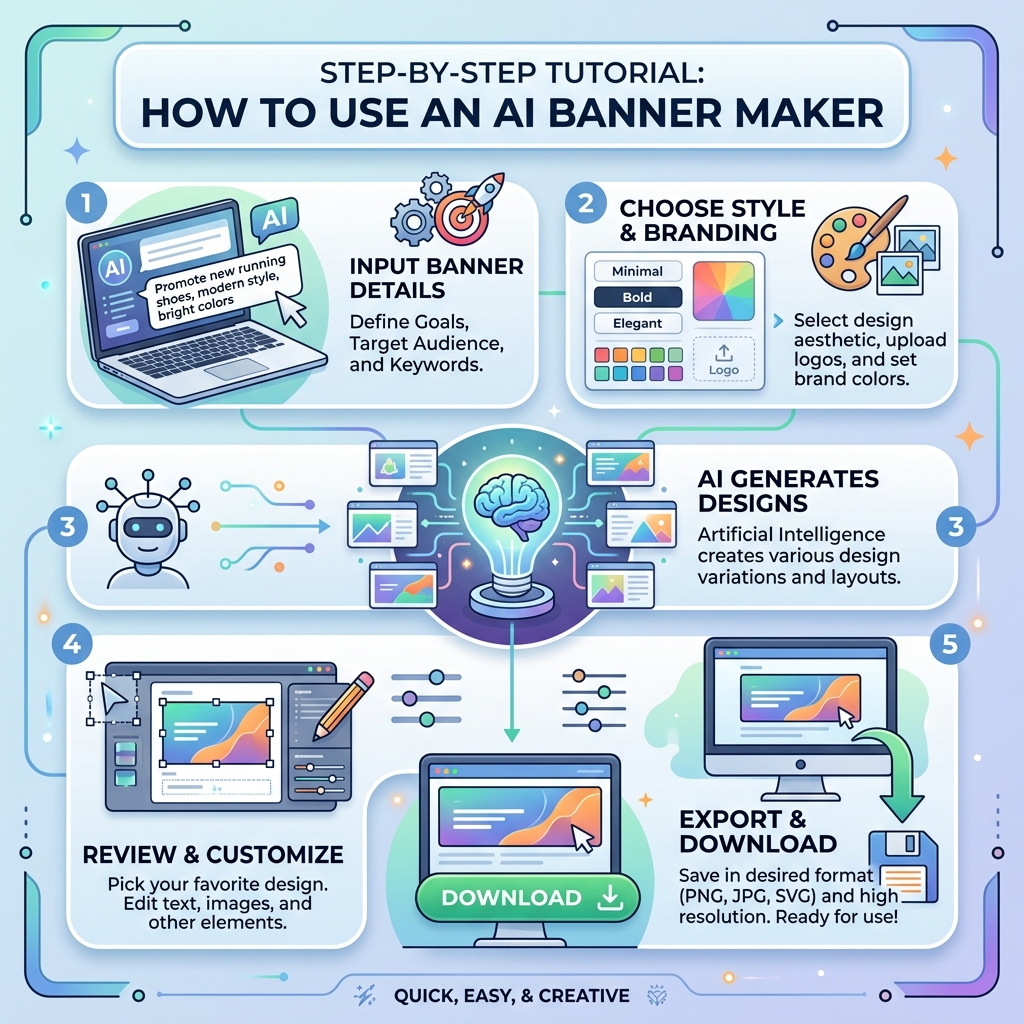
Step 1: Input Your Prompt
Start by entering a clear description of your banner’s purpose. For example, if you run a fitness studio, your prompt might be: "Energetic fitness class promotion with bold text and vibrant colors."
Step 2: Choose a Style
Next, select a style that matches your brand or campaign tone. Options often include minimalist, modern, vintage, or playful. This helps the AI tailor the design to your preferences.
Step 3: Generate and Download
Once you submit your prompt and style, the AI generates multiple banner options. Review the designs, pick your favorite, and download the image in the appropriate format for your social media platform.
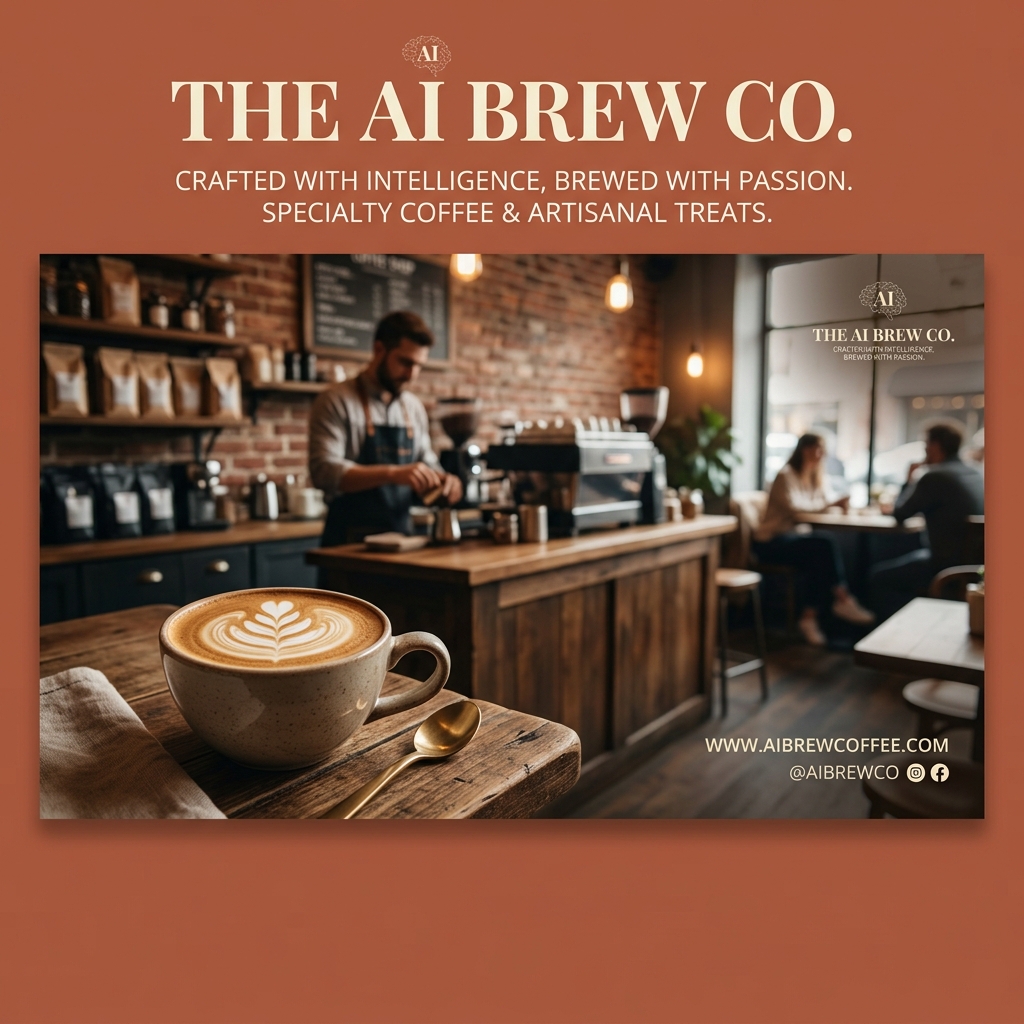
Real Example: Creating a Social Media Banner for a Coffee Shop
Input Prompt: "Modern coffee shop social media banner, minimalist style, warm brown tones, highlighting "Freshly Brewed Coffee" text." Output Description: The AI generated a sleek rectangular banner featuring a clean, minimalist layout. The background is a soft gradient of warm browns, evoking the rich aroma of coffee. Bold, sans-serif typography highlights "Freshly Brewed Coffee" in white, centered with subtle coffee bean illustrations on the sides. The design feels inviting and professional, perfect for Instagram or Facebook.["AI social media banner coffee shop example"]
Comparison: AI Banner Makers vs. Traditional Tools Like Canva
| Feature | AI Banner Maker | Canva |
|---|---|---|
| Ease of Use | Enter prompt, get instant results | Drag-and-drop, requires manual effort |
| Design Skills Needed | None | Basic design knowledge helpful |
| Speed | Minutes | 10-30 minutes depending on complexity |
| Customization | Limited to prompt and style | Highly customizable |
| Cost | Usually affordable/free tiers | Free with premium options |
AI tools excel when you want quick, professional banners without manual design. Canva is better if you want full control over every element.
["comparison AI design tools interface"]
Tips and Common Mistakes When Using AI for Banner Design
Tips
- Be specific with your input prompt to get relevant designs.
- Choose styles that align with your brand identity.
- Preview multiple AI-generated options before finalizing.
- Use high-contrast text for readability on social media.
- Keep banner dimensions optimized for each platform (e.g., Instagram post vs. Facebook cover).
Common Mistakes
- •Using vague prompts leading to generic designs.
- •Ignoring text readability by picking low contrast colors.
- •Overloading the banner with too much information.
- •Skipping the review step before publishing.
Frequently Asked Questions
1. What is the best AI tool to create social media banners?
Many AI tools are available, but Lovart stands out for its ease of use, fast generation, and quality designs.
2. Can I customize AI-generated banners?
Yes, most AI tools allow some customization like changing colors, fonts, or layout after generation.
3. Do I need design experience to use AI banner makers?
No, AI tools are designed for users without any design background.
4. Are AI banners suitable for all social media platforms?
Absolutely. AI tools generate banners optimized for various platforms like Instagram, Facebook, Twitter, and LinkedIn.
5. How much does it cost to create banners with AI?
Many AI banner makers offer free plans with limited features and affordable premium subscriptions for advanced options.
Ready to Create Your Own Social Media Banners?
Stop struggling with complicated design tools. Save time and effort by using AI to create stunning banners that get noticed.
Try Lovart NowCreate your design in seconds and watch your social media presence grow!
View Pricing