Designing Event Invitations Using AI: A Practical Guide
Introduction
Imagine you’re organizing a birthday party or a corporate event. You want invitations that stand out but lack the time, budget, or design skills to create them yourself. This is where AI event invitation design tools come in handy. With these tools, anyone can create beautiful, personalized invites quickly and easily.
What is AI Event Invitation Design?
AI event invitation design uses artificial intelligence to help users generate creative, custom invitations without needing graphic design experience. These AI tools analyze your input—such as event type, style preferences, and colors—and produce polished invitation designs automatically.
By leveraging machine learning algorithms and vast design databases, AI invitation makers simplify the creative process. You simply provide key details and preferences, and the AI generates professional-quality invites in seconds.
Why AI Invitation Makers Matter
Many people struggle with designing event invitations due to:
- •No design skills: Not everyone knows how to use complex design software.
- •No time: Busy schedules make it hard to invest hours into design.
- •Low budget: Hiring a designer can be costly for small events.
AI invitation maker tools solve these problems by offering an intuitive, affordable way to create custom invites quickly. Whether you’re planning a wedding, baby shower, or business seminar, AI helps you save time and money while getting great results.
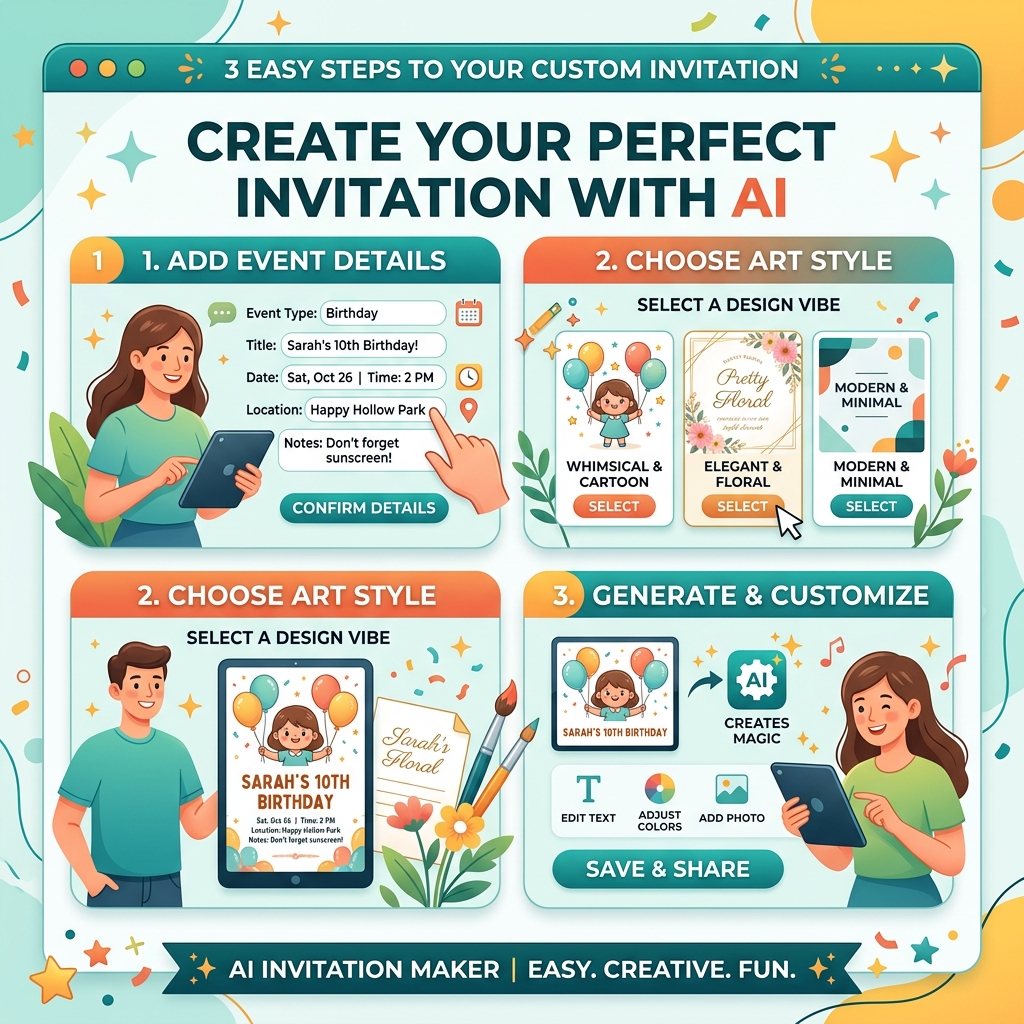
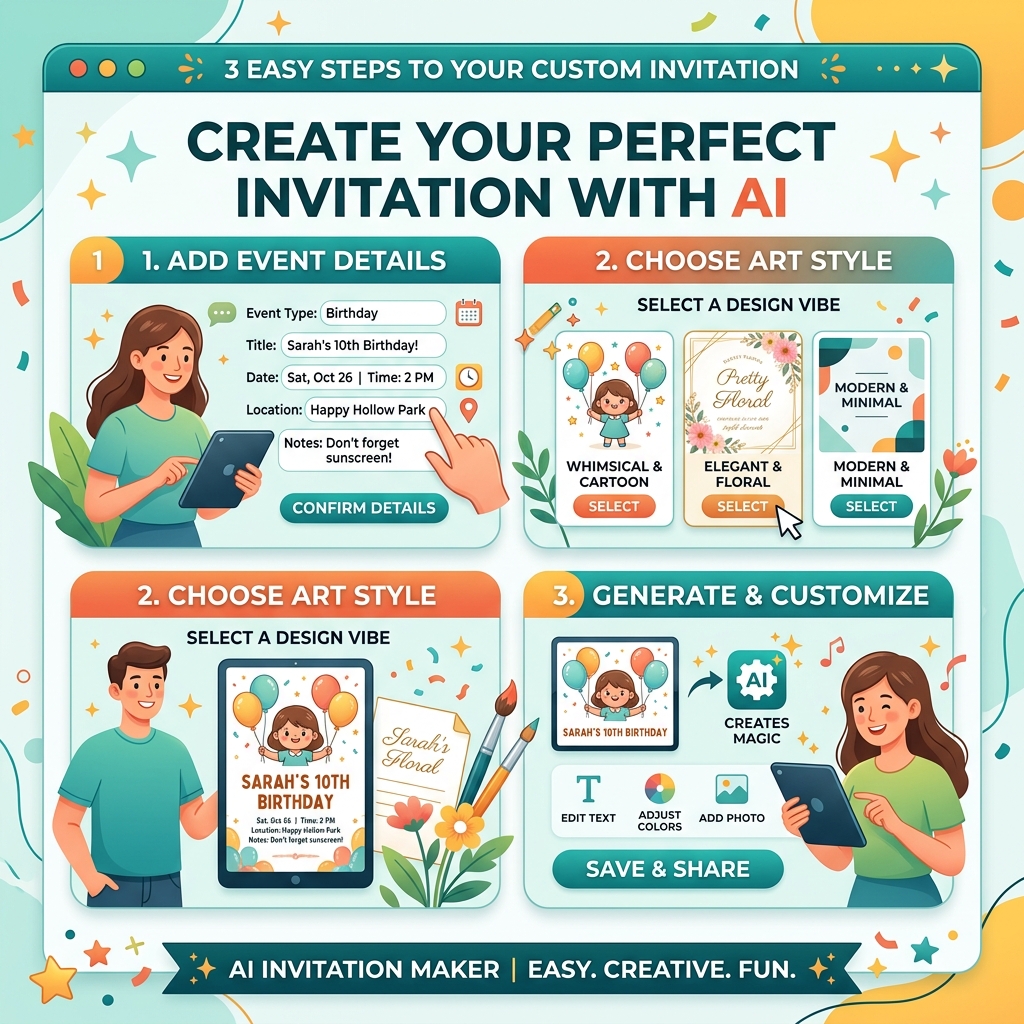
Step-by-Step Guide to Creating Event Invites with AI
Step 1: Input Your Prompt
Start by entering your event details. For example, “birthday party invitation with floral design” or “corporate gala invite modern style.” The AI uses this prompt to understand your theme and preferences.
Step 2: Choose Your Style
Select from various design styles such as minimalist, vintage, elegant, or playful. You can also specify colors, fonts, and layout preferences to match your event’s vibe.
Step 3: Generate and Download
Once your inputs are complete, the AI generates multiple invitation options. Preview these designs, select your favorite, and download the final invite in your preferred format (PDF, PNG, etc.).
["create event invites AI"]
Real Example: Creating a Modern Wedding Invitation
Input Prompt: "modern wedding invitation minimalist with gold accents" Output Description: The AI produces a sleek invitation featuring clean lines and ample white space. Gold foil accents highlight the couple’s names in an elegant serif font. The layout balances text and decorative elements, making it easy to read and visually appealing.This invite looks professionally designed but was created in under five minutes without any manual graphic work.
Comparison: AI Invitation Maker vs. Canva
While Canva offers extensive templates and manual customization, it requires some design sense and time investment. AI invitation tools automate the design process, generating ready-to-use invites based on simple prompts.
- •Ease of Use: AI tools require less manual effort.
- •Speed: AI generates invites instantly.
- •Customization: Canva allows deeper manual edits; AI focuses on quick, quality results.
For users who want fast, professional invites without learning design software, AI invitation makers are a superior choice.
["comparison AI design tools interface"]
Tips & Common Mistakes
- •Tip 1: Be specific with your input prompts for better results.
- •Tip 2: Choose a style that matches your event’s tone.
- •Tip 3: Preview several AI-generated options before finalizing.
- •Tip 4: Use high-contrast colors for readability.
- •Tip 5: Download in high resolution for print quality.
- •Entering vague prompts leads to generic designs.
- •Over-customizing can clutter the invite.
- •Ignoring proofreading before download.
FAQ
1. Can I create event invitations without design skills using AI?
Yes, AI invitation makers are designed for users without any design experience. They automate the creative process.
2. How long does it take to generate an invitation?
Most AI tools generate designs within seconds to a few minutes.
3. Can I customize the AI-generated invitations?
Yes, many tools offer basic customization like changing colors, fonts, and text.
4. Are AI invitation makers free?
Some offer free basic versions, but premium features usually require payment.
5. Can I print the invitations I create with AI?
Absolutely. AI tools provide high-resolution downloads suitable for printing.
Ready to Create Your Event Invitations?
With AI invitation makers, designing invites is faster and easier than ever. Save time, skip complicated tools, and get professional results effortlessly.
Try Lovart Now — Create your design in seconds and impress your guests with stunning event invitations. View Pricing["event invitation design ai tools"]
["create event invites AI"]